Repo Deletion Process
Tophhie Social was built with privacy, trust, and transparency right at the forefront of our minds. Our Privacy Policy outlines how we protect your privacy, and how you can exercise your data privacy rights.
Today, we publicly announce our next step in this process.
Repo Deletion Process!
We know, it doesn't sound particularly exciting, and in truth, it's not. However, it forms an important part of how we handle your data, and what happens in the event you decide you no longer want to host your repo on Tophhie Social servers.
The Process
So, this deletion process, what is it, and how does it work?
What is it?
It's our automated workflow. A process we use to identify repos that have been recently been deactivated, and are therefore subject to deletion.
How does it work?
Using our cloud infrastrucure, we have a daily process that runs at roughly 2.00am everyday.
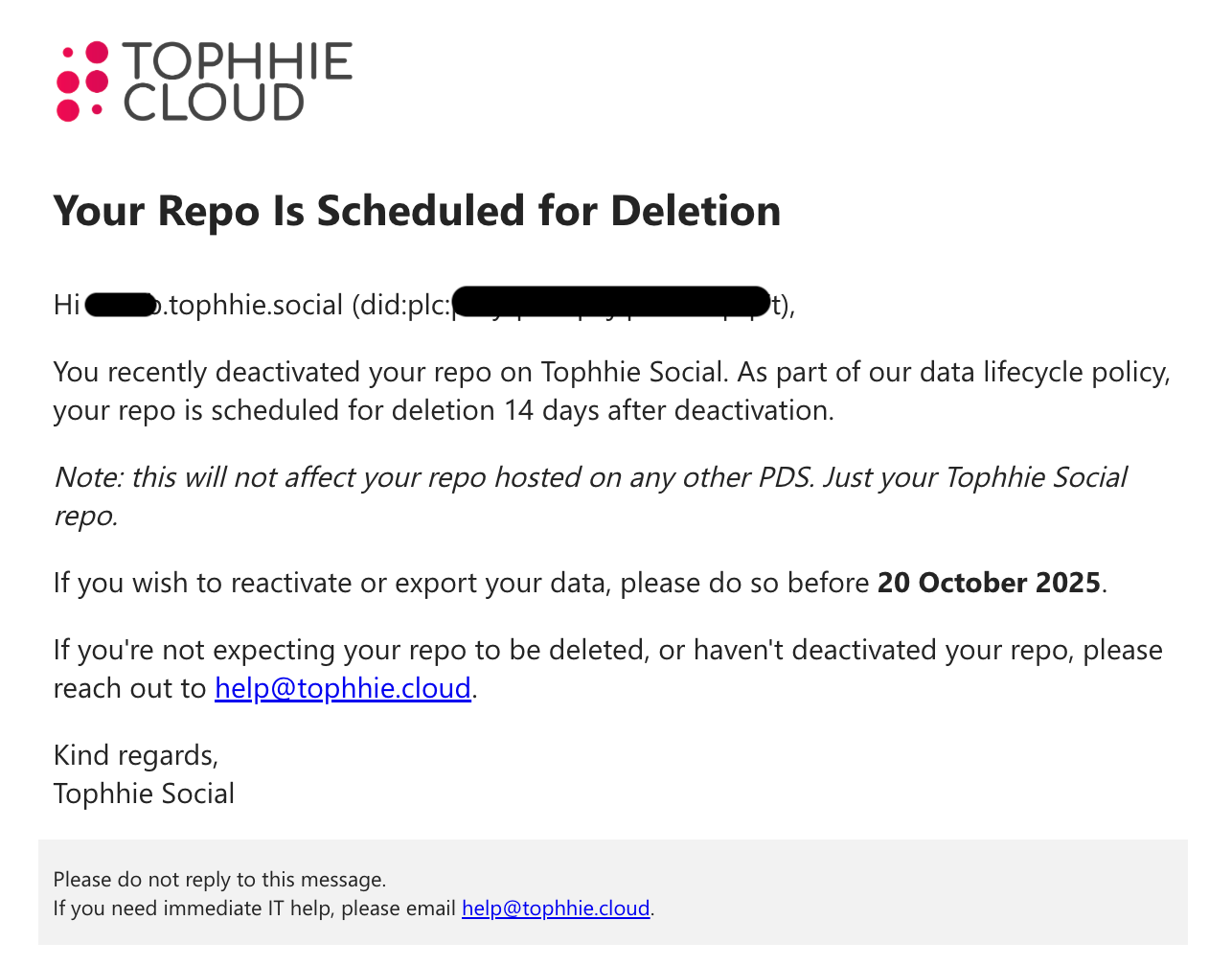
Firstly, the process connects to the Tophhie Social PDS and identifies repos that have been deactivated within the last 24 hours, it then sends an automated email notification to each repo's owner advising them of the deactivation and the date in which their data will be deleted. Within the email, the owner is advised that if they would be required to reactivate the repo, or export the data before the deletion date, if they'd like to preserve that data.
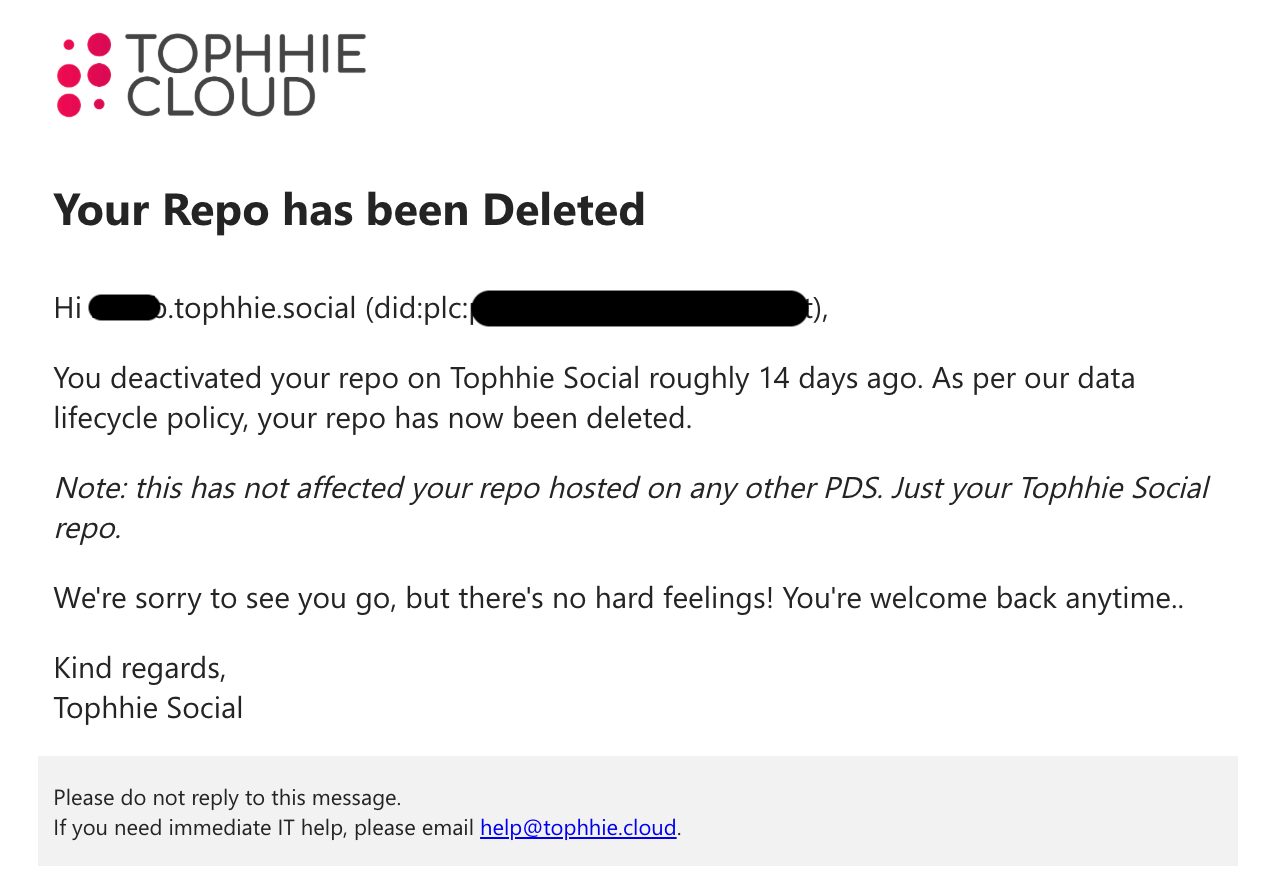
Secondly, the process identifies the repos that have a deactivation date that is greater than or equal to 14 days ago. It then, simply, deletes the repo. Another automated email is then sent to the repo owner advising them their repo has been deleted.
Given the process relies on a scheduled trigger, a user's repo may be deleted slightly after the 14 day period, as repos are only identified at the time the process runs. We generally say repos are deleted, maximum, 15 days after the initial deactivation.
Technical Rundown
So, how does this actually all work behind the scenes?
At the moment, our process relies on the power of Azure Automation and a runbook that runs daily. The runbook runs on PowerShell 7.0.
Here's what happens in that PowerShell script...
- Secure credentials are obtained from the Azure Key Vault service. These are the admin credentials for the Tophhie Social PDS, as well as credentials for our email service.
- The script then fetches all repos on the Tophhie Social service.
- It does this by querying https://tophhie.social/xrpc/com.atproto.sync.listRepos to fetch all repos where "active" equals false, looping the request until the "cursor" property is no longer present and all inactive repos are fetched.
- It then loops through the array of inactive repos, and fetches the account information.
- It does this by querying https://tophhie.social/xrpc/com.atproto.admin.getAccountInfo?did=$($AccountDid).
- By querying getAccountInfo, we're able to retreive the deactivated date, handle, and email address of the owner.
- In the same loop, once the account information has been fetched, it then performs a date comparison on the deactivatedAt property.
- If deactivatedAt is less than 24 hours ago... send deactivation acknowledgement email to owner.
- If deactivatedAt is more than or equal to 14 days ago... delete the repo, and then send deletion email to owner. The deletion is performed by sending a request to https://tophhie.social/xrpc/com.atproto.admin.deleteAccount.
- Done!
Below shows an example of each notification email. The left showing the scheduled deletion notification, and the right showing the deleted notification.
Related Articles
Resetting your Offline Data
If you're noticing that Marvelist is showing duplicate tasks or lists, it could potentially be because the Offline Data store has come out of sync. Resetting the Offline Data store can assist in resolving some of these issues. Resetting your offline ...About the Apple Watch app
Marvelist has been available on the Apple Watch since mid-2023, so providing you're running a recent version of Marvelist (which you should be!) you'll have access to the Apple Watch companion. Configuring the watchOS app is as simple as launching it ...Bluesky Video Upload Error
We are currently aware of an issue affecting users' ability to upload videos to the Bluesky platform through the Tophhie Social PDS server. Users attempting to upload videos to Bluesky may be greeted with the following error message. Initial Root ...Removing devices from your account
Sometimes a device gets lost... it happens to the best of us. When things like this happen, we want to make sure our data is as secure as it can be. Marvelist helps achieve this by giving you the ability to remove devices from your account when ...